
Residents of Visakhapatnam can report potholes and civic problems to the Greater Visakhapatnam Municipal Corporation (GVMC) through its official toll-free helpline, online grievance portal and Smart Vizag app. A pothole-specific contact number and WhatsApp reporting number have also been circulated. Residents should share the exact location and clear photographs of road damage to help authorities identify the issue.
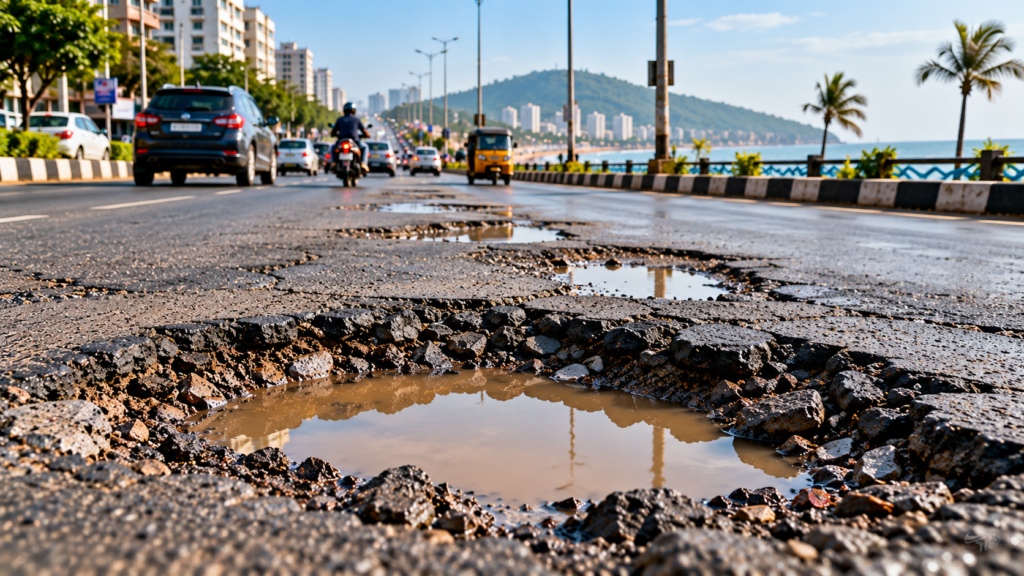
Vizag Pothole Complaints: Helpline Numbers and How to Report Damaged Roads
Residents of Visakhapatnam who encounter potholes and damaged roads can use civic grievance channels to report the problem and request action from the concerned authorities.
The Greater Visakhapatnam Municipal Corporation (GVMC) lists a toll-free citizen call centre, an online grievance system and the Smart Vizag app among its grievance-reporting options.
GVMC Pothole Complaint Contact Numbers
Residents can refer to the following contact details:
Pothole-specific complaint number: 9014218870 — reported contact; confirm availability before relying on it.
GVMC toll-free helpline: 1800-425-0009.
WhatsApp complaint number: 9666-909-192 — circulated for civic complaints; confirm that the service is active.
Citizen grievance number: 1902 — listed in the supplied information; verify its applicability to GVMC road complaints.
GVMC’s official website lists its toll-free helpline as operating from 6:00 AM to 8:00 PM. https://www.gvmc.gov.in/static_content/Grievances.jsp
How to Report Potholes to GVMC
1. Call the GVMC toll-free helpline
Call 1800-425-0009 to register a civic grievance. Explain where the pothole is located and describe the road damage. Keep the complaint reference number, if one is provided.
2. Report through WhatsApp
The number 9666-909-192 has been circulated for WhatsApp civic complaints. If the service is active, send a clear photograph, the road name, nearby landmark and location details.
3. Submit an online complaint
Residents can use the GVMC Citizen Portal to submit a complaint or service request. The portal requests details such as the complainant’s contact information, area, landmark and grievance description.
4. Use the Smart Vizag app
GVMC also lists the Smart Vizag app as a grievance-reporting option. Residents can check the official GVMC website for app information and available services.
What Details Should You Include?
To make a pothole complaint easier to identify, provide:
A clear photograph of the pothole.
The road name and nearest landmark.
The locality or ward, if known.
A brief description of the damage and any traffic hazard.
Your contact details, if required by the complaint channel.
Avoid taking photographs while driving or standing in moving traffic.
Why Reporting Potholes Matters
Potholes can create risks for motorists, two-wheeler riders, cyclists and pedestrians. Reporting damaged road surfaces with accurate location details can help the responsible authorities identify the affected stretch and assess the required repairs.
Residents should save the complaint reference number and check for updates through the channel used to register the grievance.
Official source: GVMC Grievance Information | GVMC Online Complaint Portal
4. Frequently Asked Questions
Q1. What is the official GVMC toll-free complaint number?
GVMC lists 1800-425-0009 as its toll-free citizen helpline.
Q2. How can I report a pothole in Visakhapatnam?
You can call the GVMC helpline, submit a complaint through its online portal or check the Smart Vizag app for grievance services.
Q3. Can I send photographs of potholes through WhatsApp?
The number 9666-909-192 has been circulated for WhatsApp civic complaints. Confirm that the service is active before sending your information.
Q4. What information should I provide?
Share the road name, locality, nearby landmark, photographs and a short description of the damage.
Q5. How can I track my complaint?
Keep the complaint reference number and use the relevant grievance channel to check its status.